Flashcards Web App
Timeline
Summer 2025
Tags
Product Design, Engineering
Tech
Vite, React, Plain old CSS
Background
After taking a course on React, I decided to create my own app to practice the new concepts I learned. However, I wanted to make something that could actually be a tool that I could use in my daily life. I landed on a flashcard app to help me quiz myself for memorizing terms when learning a new language or something similar. Of course, there are plenty of existing flashcard sites out there but I wanted something fun and light that I could use without making an account or getting flooded with ads.
At this point, I tried to define the scope of the project to determine what functionality was truly necessary to start. Besides the obvious things like being able to flip the card and next/back navigation, I decided that uploading a .csv file would be the quickest and most efficient way to import data rather than manually adding each entry into the app through a UI. Some things I ended up cutting were the ability to flag certain cards, grouping cards, a progress bar, and sound effects. I might try to add these in a second version.
Inspiration & Design
I created a moodboard for the visual design direction that I wanted to pursue and landed on the core themes of tactile, playful, clean, and inviting. I pulled a lot of inspiration from Nintendo video game UI due to the strong overlap in themes. From there, I sketched out initial layout ideas on paper and then started making mocks in Figma, where I could quickly get a feel for how I wanted the position and styling of elements to be.
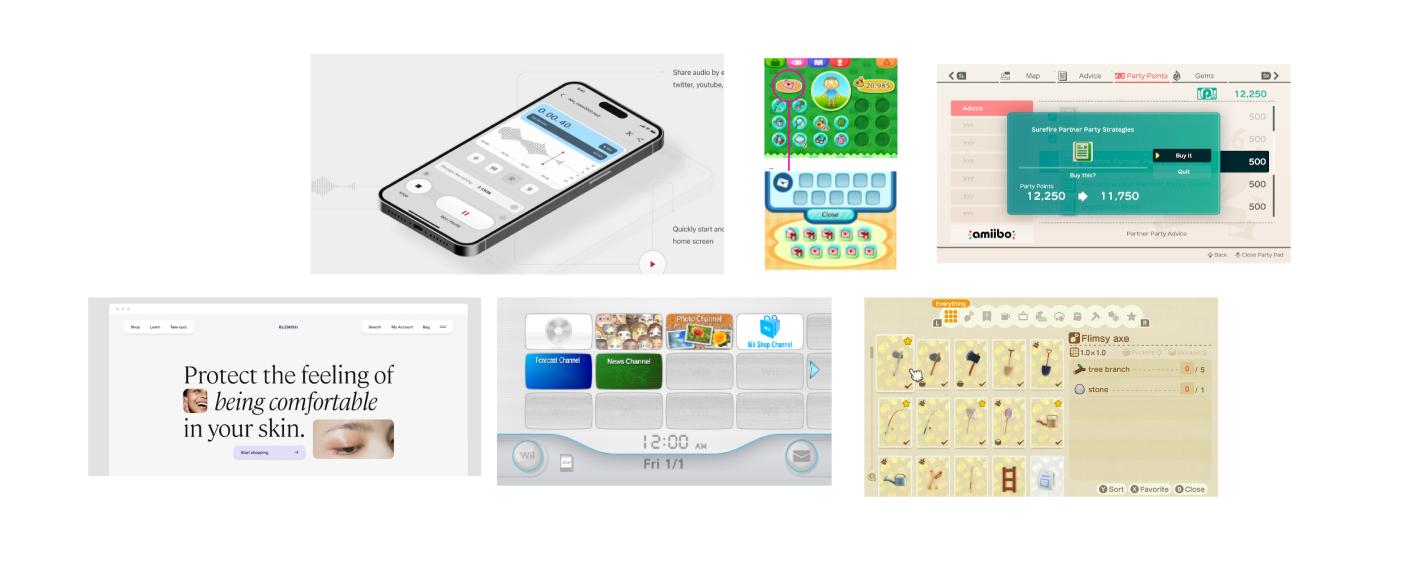
Moodboard for visual direction
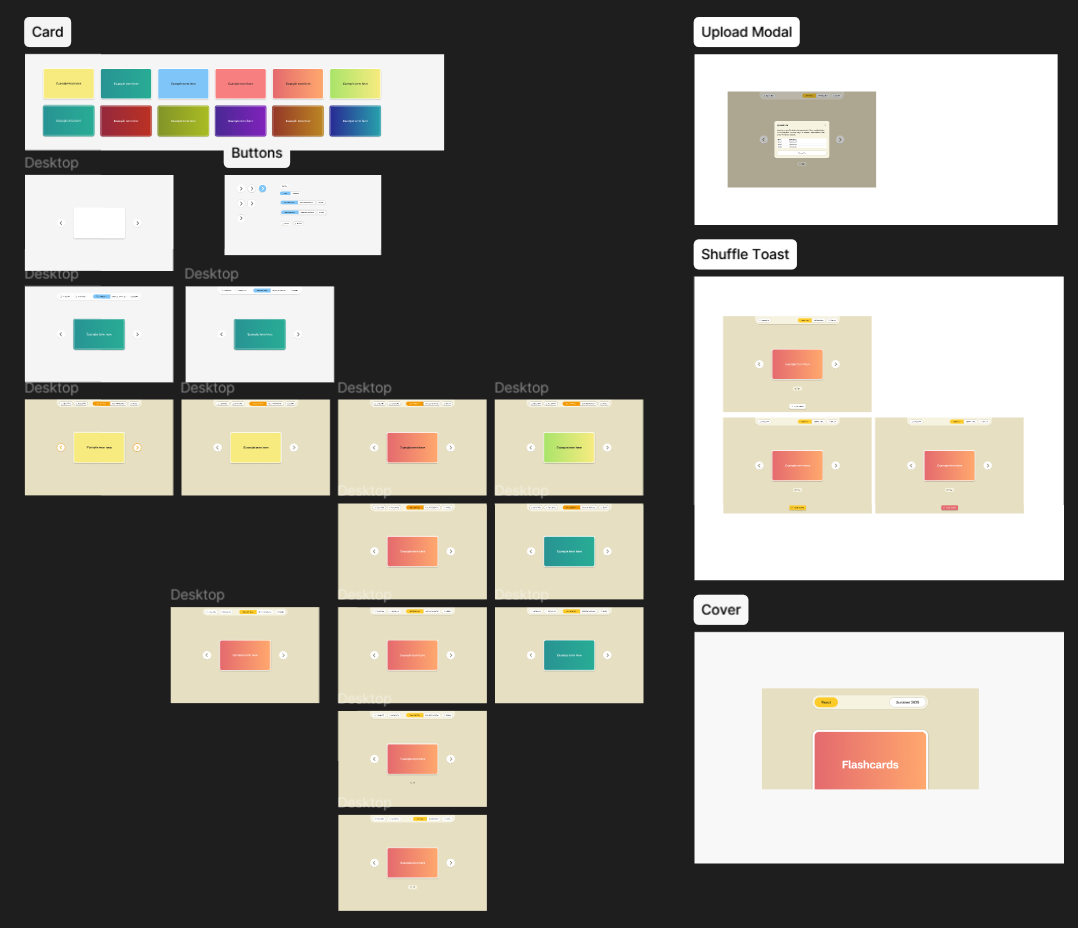
Design iterations in Figma
Development
When it came time to start coding the React app, I made a plan for all the components, variables, states, and functions that I thought would be needed. I started with base functionality like flipping cards and navigation and then added shuffling, file upload, and selecting the start side. For concepts where I had less knowledge like .csv parsing or for general debugging and unsticking myself, I leaned on AI coding models or online resources like forums or documentation for help.
During the development process, I found myself going back and forth from VS Code to Figma after I realized there were certain things I hadn’t considered when designing. For example, having an upload modal to explain the file format or a toast that appears after shuffling for visual feedback. Overall, I think the project was good practice for reinforcing React concepts like components, props, state, and effects, as I could feel in real time when I needed to utilize each one for its specific purpose.